

Description
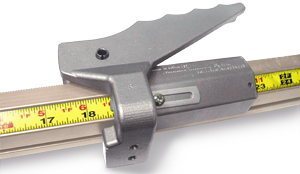
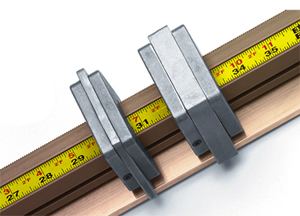
The TigerStop Measuring & Positioning System can push, pull and position material up to 180 lbs. Turn your existing manual machine into a fully automatic lean manufacturing asset.
Zero Set Up Time
- Do away with “measure twice, cut once”. Eliminate tape measures, manual stop blocks, and clamps from your manufacturing process. With automatic length measuring, just type in your desired measurement, place your material, and press start. It’s that simple.
100% Accuracy
- The parts you cut today will be as accurate as the parts you cut next week, next month, and next year. Over 45,000 customers have trusted TigerStop’s repeatability since 1994.
No More Rework
- Quality control starts with TigerStop. Cut correctly sized parts the very first time so the rest of your manufacturing processes can flow smoothly.
Automation for Any Sized Shop
- It doesn’t matter if you have 100 square feet or 1 million square feet of shop floor. Everyone needs to measure parts quickly and accurately. We have solutions for any manufacturer wanting to gain a competitive edge.
The position can be input in the method of your choice: standard or metric with fraction, decimal, feet, inches. It is available in multiple languages. The controller computes the input and displays the position in standard or metric.
The Tigerstop Automated Stop/Gauge and Pusher System is available from 4 feet to 30 feet.
Call the Ocean Machinery sales team TODAY at (954) 956-3131 or Toll Free 1 (800) 286-3624 or fill out our online info request formfor more information on the TigerStop Measuring & Positioning System.